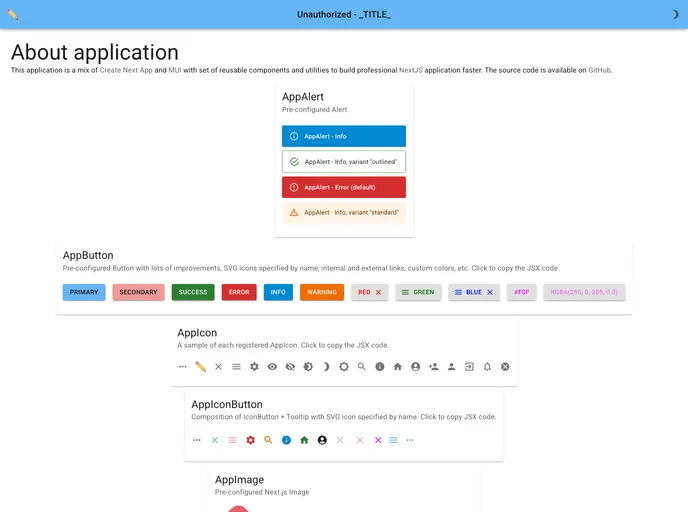
Starter template for Next.js with App Router + Material UI + TypeScript
This Starter project for Next.js with App Router + Material UI using TypeScript is a combination of Create Next App and MUI (Material UI). It provides a set of reusable components and utilities that allow developers to build professional Next.js applications faster. The project includes a source code repository and an online demo for users to test and explore the functionalities.
The key features of this starter project include:
To use this starter project, follow these steps:
The following scripts are available to run:
npm run dev or yarn dev: Runs the application in development mode on http://localhost:3000, with automatic reloading on code changes.npm run lint or yarn lint: Checks the code for errors and missing elements using linting tools.npm run format or yarn format: Formats the code according to the configured prettier rules.npm test or yarn test: Launches the test runner in interactive watch mode for testing and debugging.npm run build or yarn build: Builds the application for production or local development, generating the necessary artifacts in the “.next” folder.yarn build:static or npm run build:static: Deprecated way to build the Next.js app, generating a static site generator version in the “out” folder.Please note that the recommended way to deploy the Next.js app is using the Vercel Platform. For more details on deployment, refer to the Next.js deployment documentation.
The Starter project for Next.js with App Router + Material UI using TypeScript is a comprehensive template that combines Create Next App, MUI, and TypeScript to provide developers with a powerful and efficient starting point for building Next.js applications. With a range of features such as App Router, Material UI integration, reusable components, and utilities, developers can accelerate their development process and create professional applications. The project also offers convenient development scripts, code checking and formatting options, and easy deployment with the Vercel Platform.

