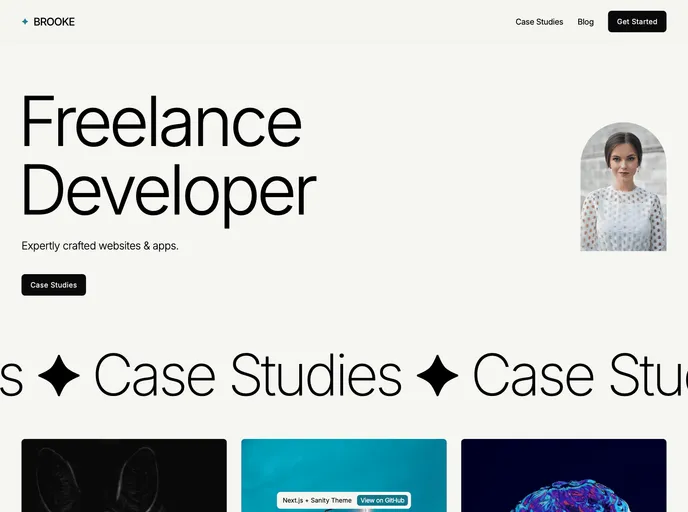
Next Sanity Theme screenshot

Next Sanity Theme

Author Avatar Theme by Jamesreaco
Updated: 13 Aug 2024
41 Stars

Next.js & Sanity Portfolio Template.

Categories

Overview

The Next.js + Sanity portfolio and blog theme has recently been upgraded to the Next.js App Router and TypeScript. This theme offers a full working demo at nextsanity.com and utilizes a tech stack consisting of Next.js, TypeScript, Tailwind, Sanity, SendGrid, and Vercel.

Features

  • Next.js: Framework for building React applications.
  • TypeScript: Strongly typed programming language.
  • Tailwind: CSS framework for quick styling.
  • Sanity: Headless CMS for content management.
  • SendGrid: Email API for sending emails.
  • Vercel: Hosting platform for deploying web applications.
  • ConvertKit Newsletter Signup API: Integration for managing newsletter signups.

Installation

  1. Create a Sanity account.
  2. Create a new Sanity project as per instructions.
  3. Clone the repository and open it in the code editor.
  4. Run npm install to install dependencies.
  5. Add required environment variables to a .env.local file.
  6. Set up CORS in the Sanity dashboard.
  7. Start the development server with npm run dev.
  8. Access Sanity Studio at localhost:3000/studio.
  9. Set up SendGrid following a tutorial if needed.
  10. Add environment variables to Vercel before deployment.

Summary

The Next.js + Sanity theme offers a robust solution for building portfolios and blogs. By leveraging Next.js and TypeScript, developers can create scalable and maintainable applications. The integration of Sanity as a headless CMS, along with additional tools like SendGrid and Vercel, enhances the functionality and performance of the theme. For those looking to set up this theme, the provided instructions guide users through the installation process effectively.